
Think big.
Build smarter.

Kishu is the workflow layer for your AI coding agent. Route hard decisions to a thinking model, give the build to an efficient one, and get clear, checked work back.

One workflow. Your models. Less work to manage.

A little coordination goes a long way.
“Build team workspaces with invites.”
Kishu routes the workYour brief + your model preferences
PlanDeep thinker

Set the boundaries.
Resolve the hard parts.

BuildFast implementer

Take a focused brief.
Turn decisions into code.

Design care. Relevant checks. Clear output.

One prompt.
A considered route.

One prompt connects task routing, model roles, and design guidance. Kishu works inside Codex, Cursor, and Claude Code.

  1. 01

    Your prompt

    Describe what you want to make or fix.

  2. 02

    Kishu router

    Choose the approach and the roles your task needs.

  3. 03

    Plan & build

    pstack playbooks.
    Your models for each role.

  4. 04

    Design care

    Impeccable guides interface work, when needed.

  5. 05

    Clear output

    What changed, what was checked, and what’s left.

A route, not a ritual. Small tasks stay small. Specialists and extra agents join when they help.

Watch the handoff.
That’s the difference.

Explore AI coding workflows for a new feature, a tricky bug, and a refactor. See each model’s assignment and the handoff that moves the work forward.

Illustrative walkthrough
$kishu:kishu-mode

Add team workspaces with roles and email invites.

Feature + interface designReady

    Select any step to read at your own pace.

    A clear plan for the next model.

    For a team invitation feature, the planner defines roles and expiry rules. The implementer receives a focused brief, relevant files, and acceptance checks. Design guidance shapes the invitation states; review checks the result.

    What gets handed over

    • Decisions: owner permissions and single-use invites.
    • Assignment: server checks, invitation lifecycle, and interface states.
    • Verification: unauthorized actions, expired links, and keyboard access.

    You describe the outcome once. Kishu loads the relevant guidance.

    Illustrative scenarios, not live agent runs. Model profiles are examples; your host’s available models and saved preferences determine the actual choices.

    Big thinking.
    Where it counts.

    A high-cost model doesn’t need to write every line. Put deeper reasoning on the tricky decisions, and let an efficient coding model carry the plan forward.

    • Focus premium-model tokens. Reserve expensive thinking for the parts that need it.
    • Cut repeated discovery. Give the builder a concise brief, relevant context, and clear checks.
    • Move independent work together. Parallelize separate assignments after agreeing the shared plan.

    The mix can reduce cost and waiting. Actual savings depend on the task, model prices, context, and coordination overhead.

    Your team. Your call.

    Try a different mix. The walkthrough updates with you.

    PlanDeep reasoning
    BuildFast coding
    ReviewDeep reasoning

    Deeper thinking at the decision points. Efficient coding for the implementation.

    Read the setup request

    A local preview of role preferences. Copy the request into your agent to choose supported models and reasoning levels with Kishu.

    The work comes back.
    The noise doesn’t.

    ADHD-aware communication puts the outcome first. Find the change, the proof, and the next decision without digging through a wall of process.

    Bring this to your next build
    KishuExample handback

    Team invitations are ready to review.

    Changed
    Owner permissions and single-use invites, with clear expired-link recovery.
    Checked
    Permission boundaries, invitation states, and keyboard navigation.
    Still to do
    Verify delivery with your email provider.

    You’re looking at
    a real Kishu project.

    This site was built with Kishu mode: a routed brief, considered design, interactive examples, and checks against the actual result.

    The proof is in the project.
    Explore the source, the demo’s behavior tests, and the record of browser checks behind this page.

    Explore the build

    The site is real. The scenarios above are demonstrations of how the workflow can fit different tasks.

    Different worlds.
    The same Kishu.

    Three working demos. Three very different briefs.
    Open one and try it for yourself.

    Veldrift, an original fantasy world with painterly landscapes and cinematic typography.Explore Veldrift

    Veldrift

    An immersive MMO concept

    A world worth wandering through. Original generated artwork, cinematic type, and three landscapes you can explore at your own pace.

    • Art direction
    • Responsive storytelling
    • Accessible exploration
    Step into the world
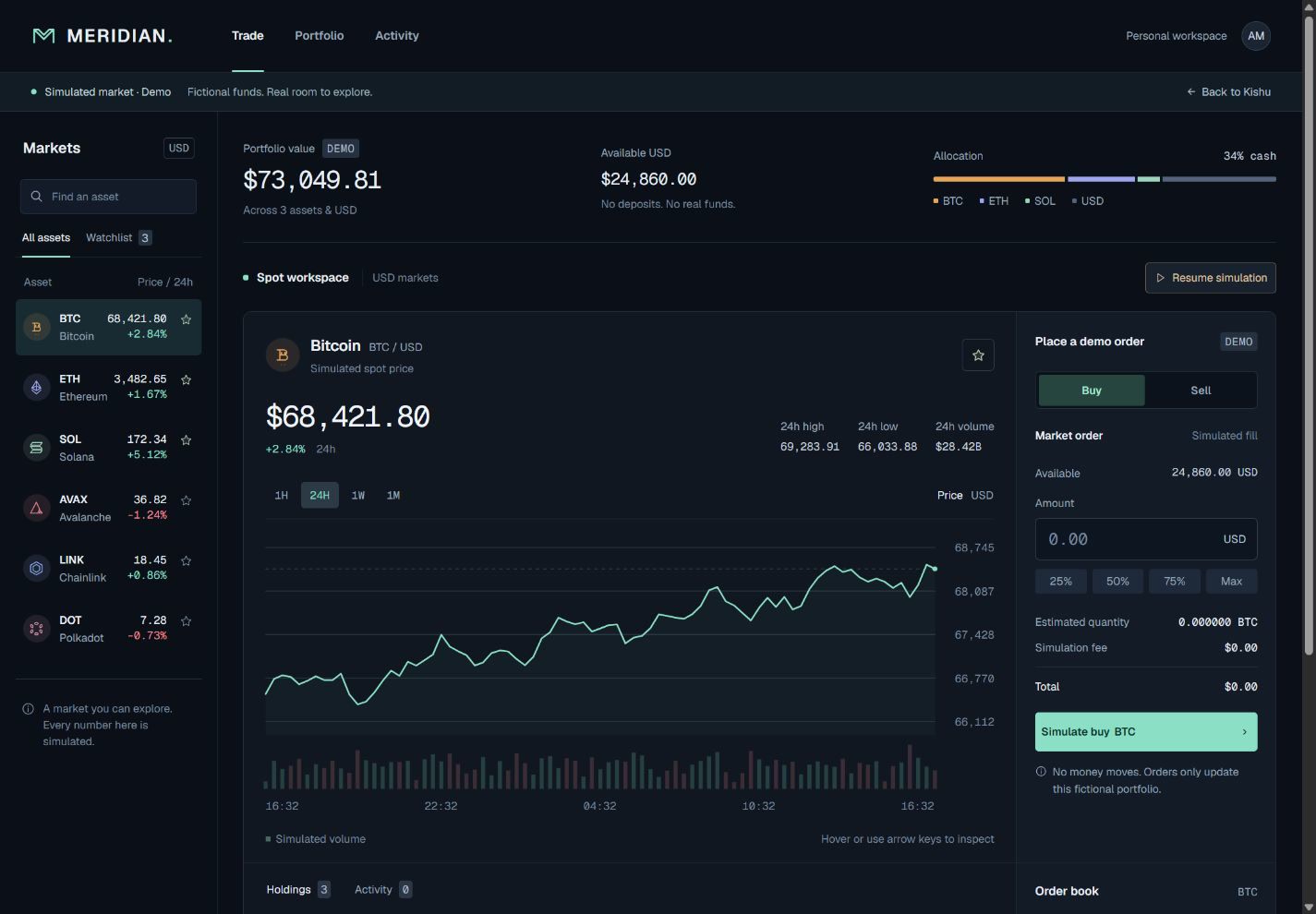
    Meridian's dark trading dashboard, with a price chart, market activity and a simulated order ticket.Try the dashboard

    Meridian

    A simulated trading workspace

    A dark, focused dashboard with moving prices, explorable charts, and a working demo order flow. Every price and trade is fictional.

    • Dense information
    • Live simulation
    • Interactive product UI
    Open the terminal
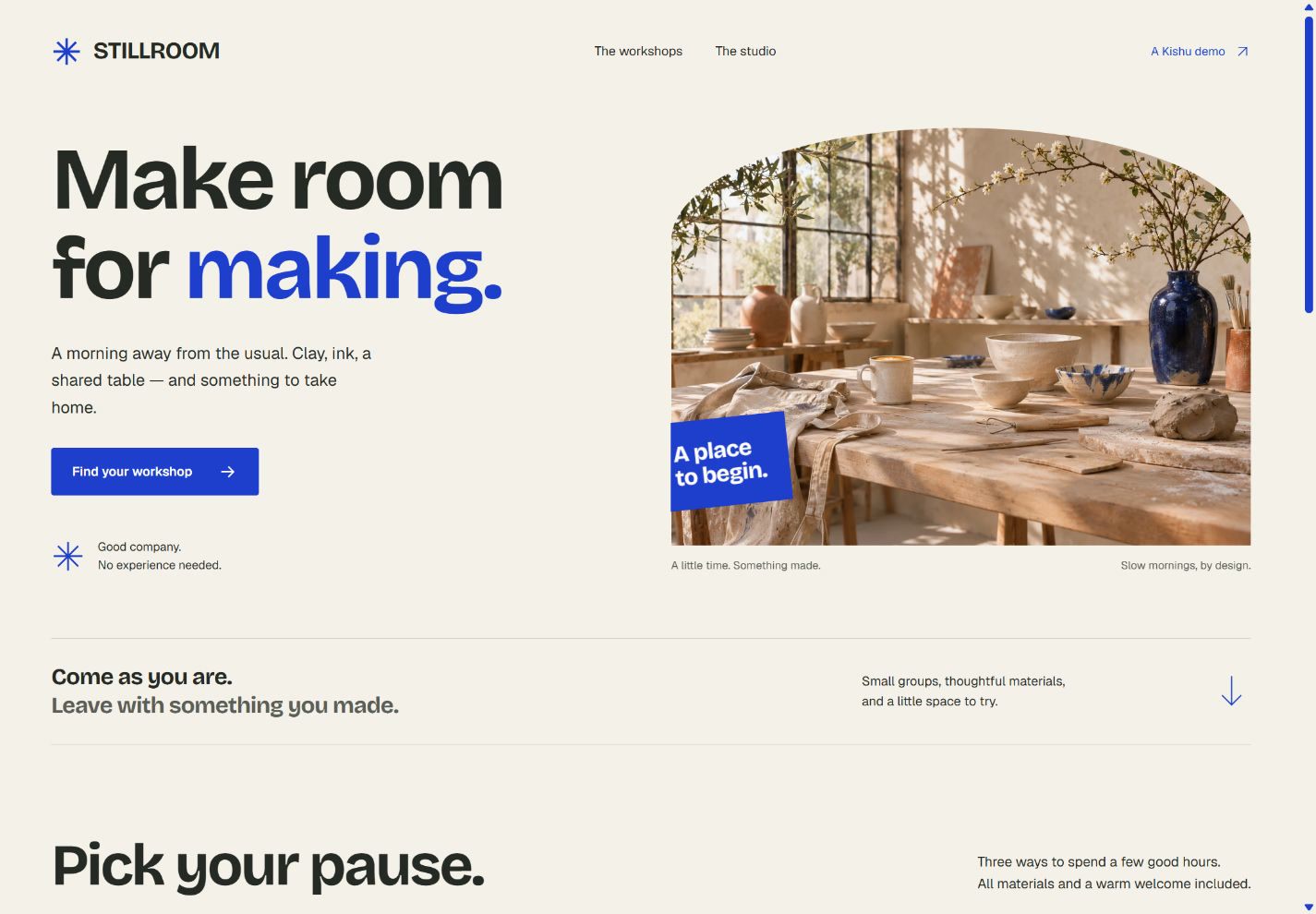
    Stillroom's bright creative studio, with original workshop photography and a local booking flow.Visit the studio

    Stillroom

    A creative workshop booking site

    Warm photography, a little breathing room, and a clear path from curiosity to a class. Choose a workshop and try the local booking flow.

    • Editorial commerce
    • Forms and validation
    • Light-mode design
    Make room for making

    Real Kishu builds. Fictional products.
    No live markets, payments, or reservations.

    What happened, and why

    Your next prompt.
    A better way to build.

    Install Kishu in your agent, choose the model roles that suit you, and bring the thing you’ve been meaning to build.

    Explore Kishu on GitHub

    A little setup. Then, just ask.

    1. Clone the repo and install the plugin.

    git clone --branch v0.1.5 --single-branch https://github.com/SPDUK/kishu-stack.git
    cd kishu-stack
    python scripts/kishu.py install --harness codex

    2. Start a new chat. Give Kishu a challenge.

    $kishu:kishu-mode

    Select Kishu through /skills, or use the command above. Python 3.11+ and Git are needed for installation.

    Kishu, explained.

    The practical details: where it works, how you choose your models, and what the workflow adds.

    What is Kishu?

    Kishu is an open-source workflow plugin for AI coding agents. It brings task routing, customizable model roles, design guidance, and ADHD-aware communication together in one entrypoint: Kishu mode.

    Which coding agents does Kishu support?

    Kishu provides native plugin entrypoints for Codex, Cursor, and Claude Code, plus a standalone skill export. It works inside your existing agent with the code and tools available in that environment.

    Can I choose different AI models for different roles?

    Yes. Kishu setup helps you choose supported models and reasoning effort for planning, implementation, review, and other roles. Saved preferences guide delegation when it is useful. Available models depend on your host; role preferences do not change the model running your current chat.

    Can model routing reduce coding costs or save time?

    It can concentrate expensive reasoning on difficult decisions, give efficient coding models a focused brief, and let independent assignments run in parallel. Savings depend on the task, model prices, context, and coordination overhead. The examples on this site are illustrative, not benchmarks.

    What do pstack and Impeccable do in Kishu?

    pstack provides the engineering playbooks behind Kishu’s routing and handoffs. Impeccable provides the foundation for its design guidance. Kishu adapts these foundations with its own preferences for scope, model choices, useful checks, and clear communication; i-have-adhd informs its communication style.

    Good roots.
    A Kishu point of view.

    Kishu brings three open-source foundations together with its own working preferences: care where it counts, less process to manage, and your choices at the center.

    Licenses & full attribution
    pstack
    By Lauren Tan · MIT. The engineering playbooks behind Kishu’s work routing, adapted to its scope, testing, and evidence preferences.
    Impeccable
    By Paul Bakaus · Apache-2.0. The foundation of Kishu’s design taste engine, from visual direction to interaction critique and polish.
    i-have-adhd
    By Ayoub G. · MIT. The starting point for Kishu’s ADHD-aware communication, adapted for clear outcomes, visible progress, and useful detail.

    Original licenses and notices stay with the bundle. With thanks to the authors; attribution does not imply endorsement.